
Ardour: Your Free, Open-Source DAW for Music Production
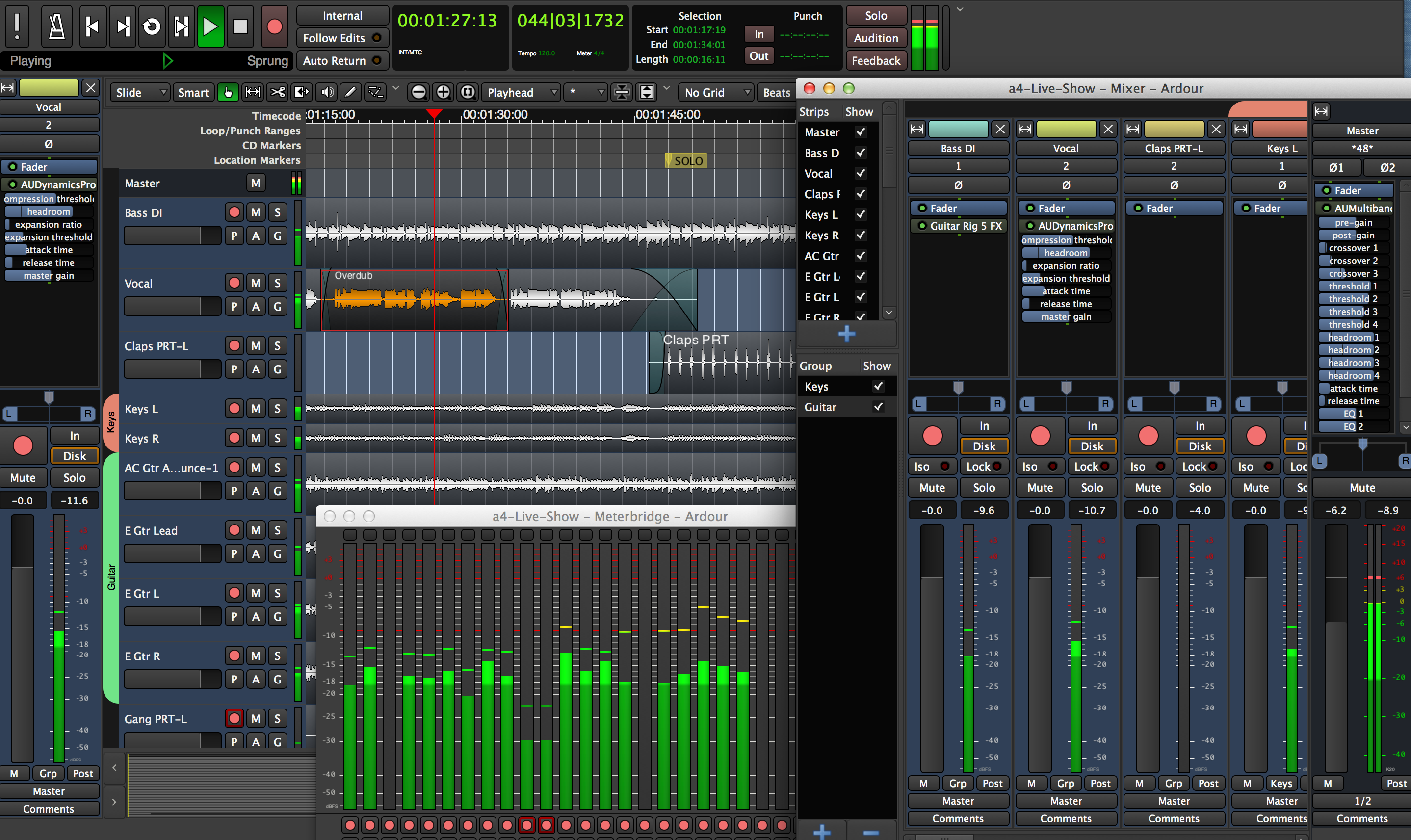
If you’re into creating music on your own hardware—without subscriptions, cloud nonsense, or big-tech spying—Ardour is one of the best-kept secrets in open-source audio. It’s a full-featured digital audio workstation (DAW) that rivals paid tools like Logic or Reaper, and it’s completely free (with optional paid builds for convenience). Built for Linux, macOS, and even Windows, Ardour gives you professional-grade recording, editing, mixing, and MIDI sequencing—all running locally on your machine.
Installation
Linux (Recommended – Kubuntu or any KDE distro)
sudo apt update
sudo apt install ardour
That’s it. Ardour is in the official repositories on Ubuntu-based distros (including Kubuntu). For the latest version, use the official Ardour site:
- https://ardour.org/download.html → download the .run file, make it executable, and run it.
Apple MacOS
Download the .dmg from https://ardour.org/download.html. Open it, drag Ardour to Applications. First launch may ask for microphone access (grant it). Ardour on macOS uses AU plugins natively and scans LV2/VST folders automatically.
Getting Started
Ardour is simple once you understand the basics:
- Tracks are your canvas (audio or MIDI).
- Sessions are your projects (save often).
- Mixer is where you balance levels and effects.
- Timeline is where you arrange clips.
Quick start:
- Launch Ardour → New Session → choose sample rate (44.1 kHz is standard).
- Create an audio track (Track → Add Track).
- Arm it (red button) and record from your mic/interface.
- Hit play—done.
Official docs are excellent:
- https://ardour.org/manual/ (start with “Quick Start”)
- https://ardour.org/videos.html (short video tutorials)
Plugins: What They Are & How to Install
Plugins are effects or instruments (reverb, EQ, synths, amp sims, drum machines) that Ardour loads on tracks. Ardour supports three formats:
- LV2 (best for open-source, Linux/macOS)
- VST (widely available, good guitar stuff)
- AU (MacOS native, auto-detected)
Installation on Linux
Most LV2 plugins come as .lv2 folders. Common location:
~/.lv2/                (user)
/usr/lib/lv2/          (system)
/usr/local/lib/lv2/    (custom)
- Download plugin bundle (usually a zip).
- Extract to ~/.lv2/
- In Ardour: Window → Plugin Manager → Rescan
Installation on MacOS
- AU: Drop in ~/Library/Audio/Plug-Ins/Components/
- VST: Drop in ~/Library/Audio/Plug-Ins/VST/
- LV2: Drop in ~/Library/Audio/Plug-Ins/LV2/ or /usr/local/lib/lv2/ Ardour scans automatically on launch. Rescan via Window → Plugin Manager if needed.
Popular Plugins (Free & Open-Source)
These are battle-tested, low-CPU, and perfect for Ardour:
MIDI Drums / Samplers
- AVL Drumkits (x42-plugins) — https://x42-plugins.com/x42/x42-avldrums GM kits (Black Pearl, Red Zeppelin, etc.) or load your own SFZ. Drop-in sampler for quick beats.
- Drumkv1 — https://drumkv1.sourceforge.io/ Hydrogen-style drum machine, SFZ support, pattern sequencer.
- ZamDrumkit — https://zamplugins.org/ Simple GM sampler, load free SFZ packs from sfzplayer.com.
Guitar Effects / Amp Sims
- Guitarix LV2 (x42-plugins) — https://x42-plugins.com/x42/x42-guitarix Full amp + cab sim chain: distortion, reverb, delay. Low CPU.
- Calf Studio Gear — https://calf-studio-gear.org/ Compressor, EQ, reverb, tape emulation—great for guitar and vocals.
- Invada — https://invadareverb.wordpress.com/ Reverb, delay, pitch shifter—classic open-source effects.
All free. All local. All yours. Grab them, drop them in the right folder, rescan in Ardour, and start building.
See you on TikTok:
- Monday nights — I’ll be coding Klara while the chat throws ideas at me.
- Wednesday nights - Writing and playing music in the Studio, or Live with the Band
- Friday nights - Gaming on Linux using Steam
Stay offline. Stay sovereign.
— Lionheart
#KlaraVibes #OfflineAI #Ardour